Tuesday, January 6, 2015

PowerED Up, the Sequel
by Jamie Guillaume


The Perry Central tech team is proud to announce that we have again been awarded one of the Indiana Department of Education’s, Summer of eLearning grants!  Perry Central will host PowerED Up June 2nd-3rd, 2015.  Although the funds are not yet in hand, planning has commenced.

When I think of characteristics of a successful conference, criteria that comes to mind includes motivational speakers, free wi-fi and most importantly, excellent food! Luckily with the support of the DOE, sponsorships, our administration and teamwork all of this criteria will be met.

Last year Dave Burgess, the author of Teach Like a Pirate and Leslie Fisher, director of Fisher technologies were both standout keynote speakers.  Our opening day keynote speaker for the conference this year will be, Don Wettrick.  Wettrick has recently published a book titled, Pure Genius that was actually published by Dave Burgess Consulting.  I recently had the opportunity to hear Wettrick at a conference and concluded that he is the definition of innovative teaching!  He was very inspiring and will be sure to hook, motivate and inspire conference attendees. 

Our opening keynote on the 2nd day of our conference will be Jeff Charbonneau who will come to us from Seattle, Washington.  Charbonneau was named National Teacher of the Year by the Council of Chief State School Officers.  He is a science teacher whose favorite part of teaching is being present at the moment of discovery for a student.

In addition to our keynotes, Matt Miller, author of Ditch that Textbook will also be a featured speaker and will be present for both days of the conference.  He also has a book that will be published soon by Dave Burgess Consulting. 

Now as I mentioned, motivational speakers is a key component to a successful conference along with free wifi.  There is nothing worse than attending a conference and having to pay for wi-fi, except for bad food! Luckily not only will our wi-fi be free and strong but your taste buds will not be disappointed!

It may sound trivial to feature the food at a conference but when we looked out our evaluations from last year, we learned that our Mexican feast and southern fried chicken meal were both a huge hit! Although confirmation with catering has not be finalized, similar meals will be served.

Be sure to mark your calendars for June 2nd and June 3rd; PowerED Up, the Sequel will be a conference you do not want to miss!

Tuesday, December 16, 2014

Three Technologies Changing the World

By Hayden Hilgenhold
Nikolai Begg’s Trocar
So first let’s first state what a trocar is.  Laparoscopic surgery is a minimally invasive surgery.  The doctor makes 3 or more holes in the skin of the surgery site and use long, tube like, devices to do the surgery completely inside the body.  This sounds great right? Less scarring, less of a chance of infection, less pain, and a shorter recovery time.  Only one problem.  The danger of the trocar.  The trocar is a long, pointed, metal device used to punch holes where needed for the surgery and there is always the chance that the patient may be injured from the trocar plunging down and hitting something vital.  
Nikolai Begg noticed this problem, and that this problem has been around for 100 years.  So he solved it.  He made an auto retracting trocar.  When the trocar finally pierces through the skin, making the entry point for the surgery, it retracts back up into itself in a .04 seconds.  And the engineering behind it is rather simple.  There is a spring also that wants to pull the tip back.  Then it has 2 hinged beams that when pressure is applied to the tip it holds in place against the sides of the box containing the spring.  When you puncture the skin the pressure holding the tip in place is released, causing the tip to retract. Knowing laparoscopic surgery causes almost 30,000 complications a year, this is an amazing device.  It’s so simple, and simply changing the world.  

Memory Implants
How often do you forget things?  If you’re anything like me you do it a lot.  However I don’t have any mental complications that cause this.  Imagine having a complication such as Alzheimer’s.  What if there was a way to use technology to give these people their memories back, or to make sure they never lose them in the first place.  
Well a man by the name of Theodore Berger thinks he’s done it.  Having cracked the code to the electrical pulses that create and recall long term memory, he believes he can put a silicon chip in someone’s head that can store these memories and recall them as easily as a perfectly functioning human brain.  Human tests have yet to be ran; the idea seems to out there to be approved and/or to receive consent from any volunteers. However, in theory it should work perfectly.  Will it? Only time will tell.  

Reverse Fuel Cell
On the definite edge of this article and the farthest in the future the reverse fuel cell is a.) possible and b.) revolutionary.  What is a reverse fuel cell though? Well a regular combustion engine takes in oxygen, mixes it with fuel, and creates energy via combustion.  The waste? CO2, something that can lead to climate change.  So what does a reverse fuel cell do?  It takes CO2 out of the air and mixes it with a fuel and emits clean oxygen.  Sounds great right? Well yes and no.  There is the issue where plants need CO2.  Also there aren’t very many environments on earth where CO2 is in mass abundance, yet.  However, NASA has been testing this engine on Mars and it has been working fairly well there.  Here’s my thoughts.  Take your regular combustion engine, let’s say a 4 cylinder.  Now run the exhaust into a second engine instead of out into the environment, this second engine using a reverse fuel cell.  Then run its pure emissions of oxygen out into the environment.  Of course no you may say, what about the trees.  Well there will always be regular cars.  They will now just have a balance.  While I’m sure this idea isn’t wholly original and has been thought about before, I’d like to think of it as my own. So, there you have it, three technologies to change the world.  
Sources
Trocar
http://www.ted.com/talks/nikolai_begg_a_tool_to_fix_one_of_the_most_dangerous_moments_in_surgery#
Memory Chip
http://www.technologyreview.com/featuredstory/513681/memory-implants/
Reverse Fuel Cell  

http://www.washingtonpost.com/posteverything/wp/2014/08/27/these-revolutionary-technologies-promised-to-help-save-us-from-climate-change-so-what-happened/

Tuesday, December 9, 2014

New Tech- Haptic Holograms

By Nick Etienne

Feeling is believing. A system that uses sound waves to project "haptic holograms" into mid-air - letting you touch 3D virtual objects with your bare hands - is poised to bring virtual reality into the physical world. Adding a sense of touch as well as sight and sound will make it easier to completely immerse yourself in VR. The ability to feel the shapes of virtual objects could let doctors use their hands to examine a lump detected by a CT scan, for example. What's more, museum visitors could handle virtual replicas of priceless exhibits while the real thing remains safely behind glass. 

From mental floss.com

Ben Long and his colleagues at the University of Bristol, UK, improved on a previous version of their UltraHaptics technology, which projected 2D outlines of map contours onto a screen. Now high-frequency sound waves emitted by an array of tiny speakers create the sensation of touching an invisible, floating object. When the sound hits the hand, the force of the waves exerts pressure on the skin. To make the jump from outlines to full shapes, the team added a leap motion sensor to track the precise position of a user's hands. Knowing where the hands are in relation to the virtual project means the system can direct ultrasound at the right time and frequency to produce the sensation of touching different parts of the object - the top, say, or the side. This creates the impression that you are exploring the surface of an object as you move your hands around in empty space. "Without haptic it's like you are in a dream and you cannot feel the environment," says Sebastien Kuntz of I'm In VR, VR developers in Paris, France. "You can only look at it, you don't have any feedback." 

From Wired

So far the researchers have tested several shapes, including spheres and pyramids. They appear to be gently vibrating in space, says Long. The level of detail in the virtual objects is limited, but using more, smaller speakers should improve the resolution of what can be projected, says Long. The shapes do not need to be perfect to conjure an immersive experience though. "Even if there are discrepancies, the brain will bend what it sees and feels to fit the overall picture," says Kuntz. The team says it has already been approached by companies interested in developing the technology for commercial applications. Technical Director Stuart Cupit says, "Touch is a missing element in virtual interfaces today."

Tuesday, December 2, 2014

Make Presentations More Interactive with NearPod

By Lain Knieriem

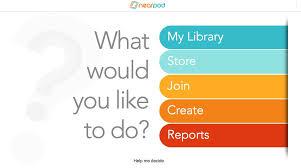
     When you put PowerPoints and interactive things up on the projector for the kids to see, things can get a little boring. It’s just that their attention doesn’t last very long. Though with a new presentation and interactive learning tool called NearPod, things will be a little more interesting. This new tool is something that your kids can interact with through their devices (computer or IPad) while they learn, and you can control what they see and do.
http://t2.gstatic.com/images?q=tbn:ANd9GcRJ0mW8N_wY2B7Ru4G2j7mvpYK8bIT0Rn4qEFkqsz1zSb2M7JsE

     Some of the great things that can be added to your presentation that you create, are Polls, Draw it, Quiz, enter PDF/documents, slideshows, videos, & just your own choice of words. Now when I say polls I mean voting, you can create a poll in your presentation so that when it comes up on the kid’s screen they can answer, and you get results that you can review. Now another interesting thing that NearPod has available is the Draw it tool. Using this you can write something like “draw a computer.” Then on their iPad or computer they can draw it, with these results you can cycle through them and share some that you like with the class on their devices. The next activity on NearPod is the Quiz, and it is exactly as it says, a quiz that you create so that your kids can show their knowledge. They can be big or small, and like the poll you get results that you can share with the class.
With all of this being said, the best way to see NearPod’s full potential is to see for yourself. So if you would like to go www.nearpod.com and create a free account in which you can explore and create. If you have any further questions just contact me at knierieml@pccommodores.org.

Thursday, November 13, 2014

The Case for More RAM

By Chris Bybee

The usage and benefits of laptops that have a higher amount of RAM (Random Access Memory) can be very useful to both teachers and students in the sense that this extra memory can allow laptops and older desktops to handle more programs at the same time or run a single program extremely fast. As all teachers at school know, there is a program called Lightspeed installed on all computers and personal devices in the school. This program uses a great deal of your computer's RAM to block features and websites on the school computers. This exhibits why our laptops need more RAM and how this can be more beneficial to teachers and students.

This can help both parties, we will start off with the teacher point of view. As a teacher, you will constantly have several programs running at one time such as Word, Skyward and several internet tabs open at once. Maybe a teacher wants to use a document camera to show the answers to last night's homework or for a new lesson. If multiple tabs are open that you need and cannot close this will cause your image to look pretty rough and appear to be skipping. It may look like a slide show because your system cannot give enough attention to that program because the other programs are running in the background and taking up all of your RAM. In conclusion, adding additional RAM in the school's computers can significantly speed up lessons so that teachers can move on to more important topics for their class.

Moving on to the students' point of view. The average student in school has at least once blamed their computer for not getting their assignments done, even I have. (Yes, just today in fact. Techy Thursday? - KW) However, with additional RAM, students and staff will have fewer problems with their computers. Adding more RAM can stop the freezing or crashing of your system because the system would have more memory to give to your monitor or operating system. You sometimes get error messages saying that your system has crashed because your computer does not know what to do other than restart itself. This can save teachers and students time because when the work gets done by a high-performance PC, less time will be spent assigning lunch detention and 8th period as well as teachers being able to find more assignments for you to do.

Thanks for taking the time to read my blog.

Tuesday, November 4, 2014

Innovation Lab Update

By: Phil Zellers


The Innovation Lab is an evolving space.  I want to take some time to update everyone about what’s going on in that space.  First, it is home to a number of mine and Mr. Hanan’s engineering and advanced manufacturing classes.  In addition to those classes, it houses Mr. Risse’s computer science class.  It is also where my STEAM class meets.  Robotics teams and the after school LEAF group use this space as well.  So, there is a lot going on in this space and it’s an exciting place to be. 
                We have been fortunate to receive a number of new pieces of equipment added to the Innovation Lab through grants Jody and others have worked on.  We received a 3D printer last year that was designed for more experimental uses.  This year we have added a new, more advanced 3D printer.  It is a uPrint SE Plus and we are just beginning to figure out the capabilities of this machine.  Students are able to design objects on the Autodesk Inventor program and then print that product through this 3D printer.  I have learned of some new software, 123D Catch, available through Autodesk that will allow students to take pictures of an object, convert it to the right file through Inventor, and then print it on the 3D printer.  That’s amazing to me…the possibilities are endless with this machine! 
                A vinyl cutter is one of the newest additions to the Innovation Lab due to a Perkins grant Mr. Risse worked on.  This machine allows students to design graphics and create products such as decals.  It could also be used to create the graphics applied to signs and banners.  A group of students will soon be working a business model for this machine. 
                   Mr. Hanan’s advanced manufacturing class has been working on building a CNC router from a kit.  There is a robotics storage room that is full of different types of robots and pieces to build robots.  Soon, there will be some training equipment arriving that will allow students to learn some valuable advanced manufacturing skills such as programming, electrical circuits, hydraulics, and pneumatics to name a few. 
                One of the best things about this lab is that it is becoming student owned.  Students are figuring out, sometimes on their own or in teams, how to work these new pieces of equipment.  There is even a group of students working on their FedEx Day project, through Mrs. Ball’s class, to design a vision for the space and carry out some renovations.  They have some amazing ideas for the Innovation Lab.  There is so much exciting learning going on in this space and I can’t wait to see how it continues to evolve.  Anyone is welcome to come down and check the space out at any time.  I’m sure there will be a number of students eager to show you how some of the new equipment works! 

Thursday, October 30, 2014

App Hunting

By Kris Walsh

From time to time, I get asked by teachers about apps that they can put on their iPad for their students (or children) to use. That is often a difficult question to answer. There are over a million apps in the iTunes app store, many are great and many are not-so great. I don’t fully know what a particular teacher is doing in their classroom and am often not sure about what need they are trying to meet with a particular app. I can sometimes give general suggestions, but my suggestions are often missing great apps that may be more suited to specific concepts or needs in their rooms.


I would like to share a few good ways that I learn about good apps:


  1. The main way that I find out about new apps is to browse the app store. Most of us know how to do this in general, but there are a couple of tricks that you can use to help you in your search. Recently, Apple has added an area for educational apps that you can use to browse for apps that may be useful. This is now located near the top of the right-hand column on the app store on itunes. You can click on the all categories link and change the category to education.


On the App Store on an iDevice, tap the explore button at the bottom of the screen to change to a desired category.


New apps come out on a daily basis, but the featured apps change every Thursday for both iPad and iPhone. This is a great time to check for new apps in general.


  1. The use of sites that feature and give reviews on apps for education. There are more, but my favorite is www.appitic.com This site breaks down available apps down by subject areas and skills. This is a great place to start your search for apps


  2. I recently learned about a new email subscription list that I have been using to find out about apps. It has been a great resource that I have used to download several new apps in the 2 weeks that I have been a subscriber. The website is called www.smartappsforkids.com . They have a long list of apps with reviews. Enter your email to subscribe to an email that will alert you when apps go on sale or even free. Though the site skews more towards apps for younger students, I have gotten several new apps that are for students in junior high or high school as well.


If anyone has questions, I would be willing to sit down with you and help you look for apps and help you decide on apps that may be a good fit for you and your classroom! There are lots of great apps out there!